Download CardRescue for Mac
Download CardRescue free evaluation version to see your lost pictures with several clicks


CardRescue Download
Version: 6.01 (only 1.1 MB)
Takes just a few seconds to download
Download CardRescue Evaluation Version to perform a quick scan on your memory card and see the recoverable pictures.

Supported Systems
- Mac OS X or macOS
- Intel or Apple Silicon M CPU
- 32-bit and 64-bit
Click Here for Windows Version

CardRescue is a photo recovery software for Mac.
The free evaluation version will allow you to scan the memory card quickly and find the recoverable pictures. Also, you may preview the found pictures before purchase.
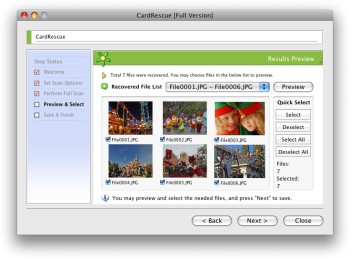
Download and install CardRescue on your Mac.
Connect the camera or card reader to your Mac.
Run CardRescue to scan the memory card and recover the lost pictures.
Using CardRescue is secure and risk-free. The software does not write anything to or modify the data on the flash card. It rescues the photos from the card and saves them to a folder on your hard drive.